Message Signature
Overview
DApp requires users to sign a hex message. The signed message will be forwarded to the back-end to verify whether a user's login is legitimate.
Prerequisite: The DApp connection has been authorized via
eth_requestAccounts(see Start Developing).
Specification
Example
const tronweb = window.tron.tronWeb;
try {
  const message = "0x1e"; // any hex string
  const signedString = await tronweb.trx.signMessageV2(message);
} catch (e) {}
Parameters
window.tron.tronWeb.trx.signMessageV2 accepts a hexadecimal string as the parameter. The string represents the content to be signed.
Returns
If the user chooses to sign in the pop-up window, the DApp will get the signed hexadecimal string. For example:
0xb0e0b150b9b10dc348f25c7f38fc87f16e18c0d230d23946aac519a5ad9e45937f656012d33c09e9d9dec00b03fbb304e797f8991bb823dce676ac91e03a55991b
If an error occurs, the following information will be returned:
Uncaught (in promise) Invalid transaction provided
Interaction
When “tronweb.trx.signMessageV2(message);” is executed, a pop-up window will show in the TronLink wallet asking the user to confirm, as shown below. The message content will be in hex:
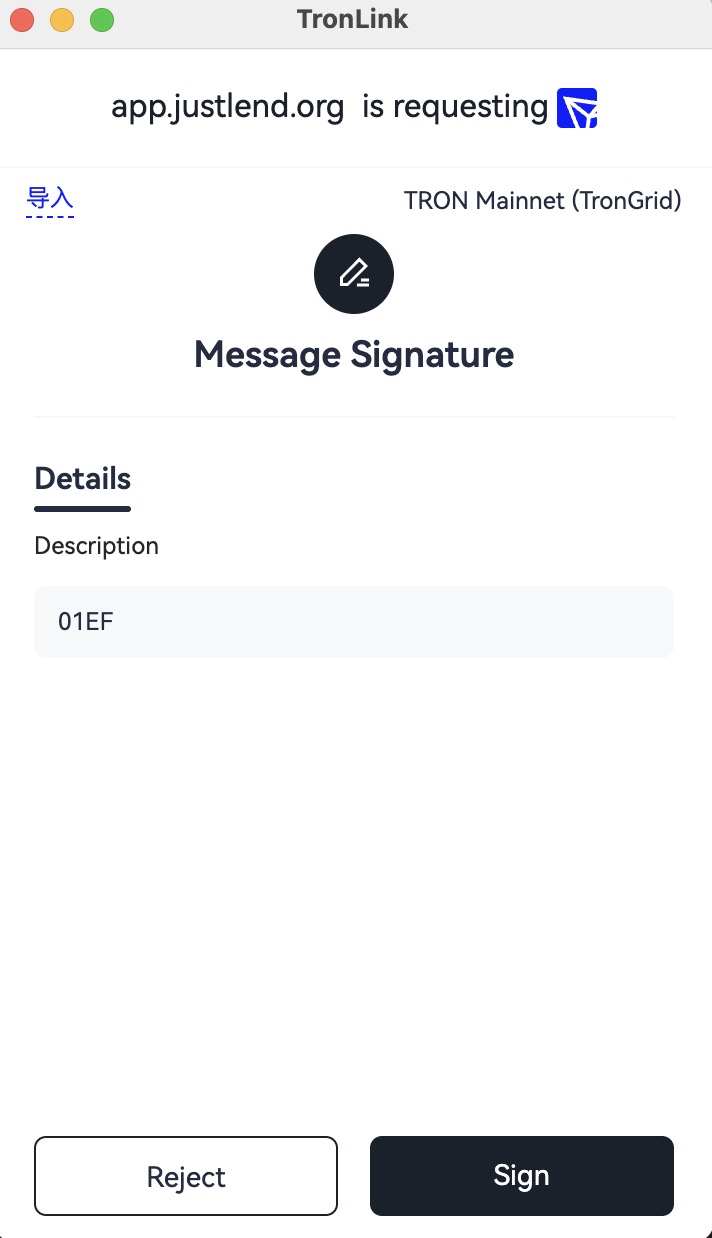
If the user chooses “Reject” in the pop-up window, an exception will be thrown, which the developer can catch for further processing.
Errors
| Code | Meaning | Where it comes from | Retryable? |
|---|---|---|---|
4001 | User clicked Reject in the signing popup | tronWeb.trx.signMessageV2(message) | No — user declined |
| (thrown) | Invalid transaction provided / non-hex input | signMessageV2(...) argument validation | No — pass a valid hex string |
| (thrown) | Provider not injected / wallet not authorized | window.tron.tronWeb undefined | No — connect first via eth_requestAccounts |
For cross-surface translation (DApp ↔ DeepLink ↔ MCP ↔ CLI) see the Error Code Map.