Passively Receiving Messages from the TronLink Plugin
Messages are sent using window.postMessage.
The content received by a DApp is a MessageEvent.
Refer to the MessageEvent MDN documentation.
Account Change Message
Message identifier: accountsChanged
Overview
This message is generated in the following situations:
- User logs in
- User switches account
- User locks the wallet
- Wallet auto-locks due to timeout
Technical Specification
Code Example
window.tron.on('accountsChanged', (accountArray) => {
  // handler logic
  console.log('got accountsChanged event', accountArray)
})
Return Value
['your_current_account_address']
Return Value Examples
- When the user logs in:
['TZ5XixnRyraxJJy996Q1sip85PHWuj4793']
(Current account)
- When the user switches accounts:
['TRKb2nAnCBfwxnLxgoKJro6VbyA6QmsuXq']
(Newly selected account)
- When the wallet is locked or auto-locked:
[]
Network Change Message
Message identifier: chainChanged
Overview
Developers can listen to this message to detect network changes.
This message is generated when:
- The user changes the network.
Technical Specification
Code Example
window.tron.on('chainChanged', ({chainId}) => {
  // handler logic
  console.log('got chainChanged event', chainId)
})
Return Value
{
  chainId: string;
}
Currently supported chainId values:
- Mainnet:
0x2b6653dc - Shasta Testnet:
0x94a9059e - Nile Testnet:
0xcd8690dc
Note: Chain IDs are case-sensitive.
TronLink Service Availability Message
Message identifier: connect
Overview
If TronLink and the window.tron object are available, this event will always be emitted.
This includes:
- After the provider initializes and connects to a chain.
- After a
disconnectevent when the provider reconnects to a chain.
Technical Specification
Code Example
window.tron.on('connect', ({chainId}) => {
  // handler logic
  console.log('got accountsChanged event', chainId)
})
Website Disconnect Message
Message identifier: disconnect
Overview
If the provider disconnects from all chains, it must emit a disconnect event and return a ProviderRpcError object.
Technical Specification
Code Example
tron.on('disconnect', (providerRpcError: ProviderRpcError) => {
  console.error(connectInfo); // { code: 4900, message: 'Disconnected' }
})
Legacy Compatibility Messages
The following four messages are retained for compatibility with version 3.x and will be deprecated in future versions:
- User rejected connection →
rejectWeb - User disconnected the website →
disconnectWeb - User confirmed connection →
acceptWeb - User proactively connected the website →
connectWeb
User Rejected Connection Message
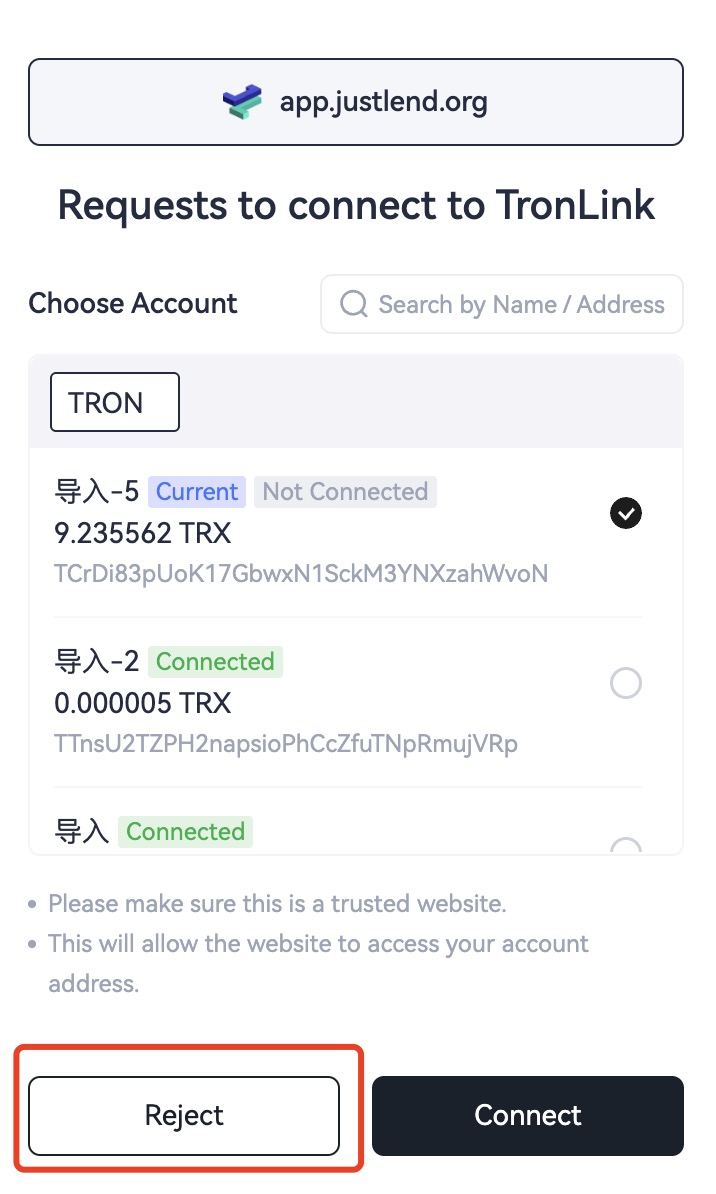
Message identifier: rejectWeb
Generated when:
- A DApp requests connection and the user rejects it in the popup.
 { width="350" }
Developers can listen for this message:
window.addEventListener('message', function (e) {
  if (e.data.message && e.data.message.action == "rejectWeb") {
      // handler logic
      console.log('got rejectWeb event', e.data)
  }
})
User Disconnected Website Message
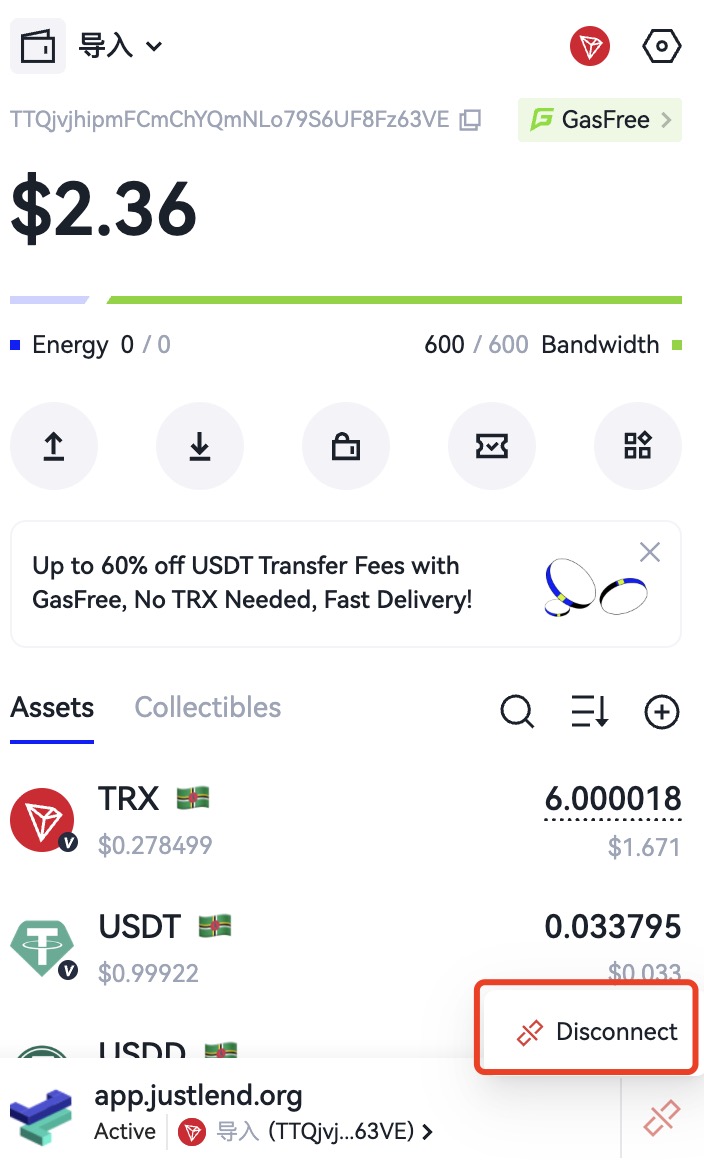
Message identifier: disconnectWeb
Generated when:
- The user manually disconnects the website.
 { width="350" }
Developers can listen for this message:
window.addEventListener('message', function (e) {
  if (e.data.message && e.data.message.action == "disconnectWeb") {
      // handler logic
      console.log('got disconnectWeb event', e.data)
  }
})
User Confirmed Connection Message
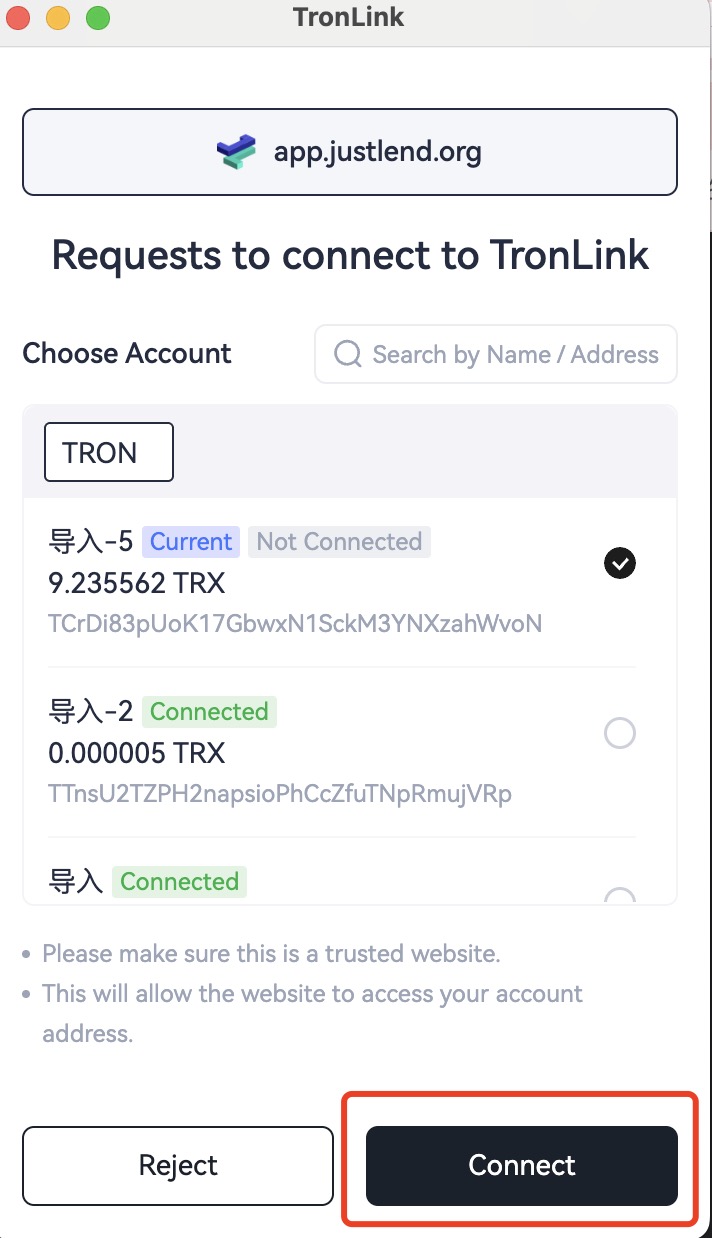
Message identifier: acceptWeb
Generated when:
- The user confirms the connection request.
 { width="350" }
Developers can listen for this message:
window.addEventListener('message', function (e) {
  if (e.data.message && e.data.message.action == "acceptWeb") {
      // handler logic
      console.log('got acceptWeb event', e.data)
  }
})
User Proactively Connected Website Message
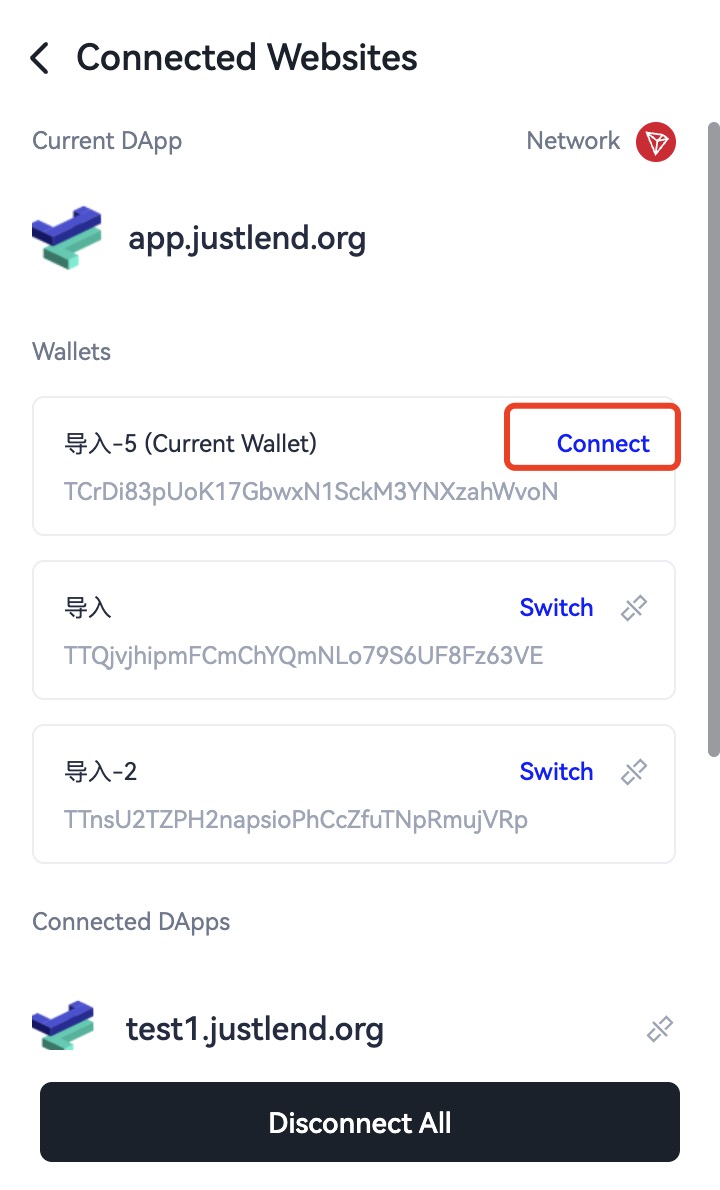
Message identifier: connectWeb
Generated when:
- The user proactively connects to the website.
 { width="350" }
Developers can listen for this message:
window.addEventListener('message', function (e) {
  if (e.data.message && e.data.message.action == "connectWeb") {
      // handler logic
      console.log('got connectWeb event', e.data)
  }
})